
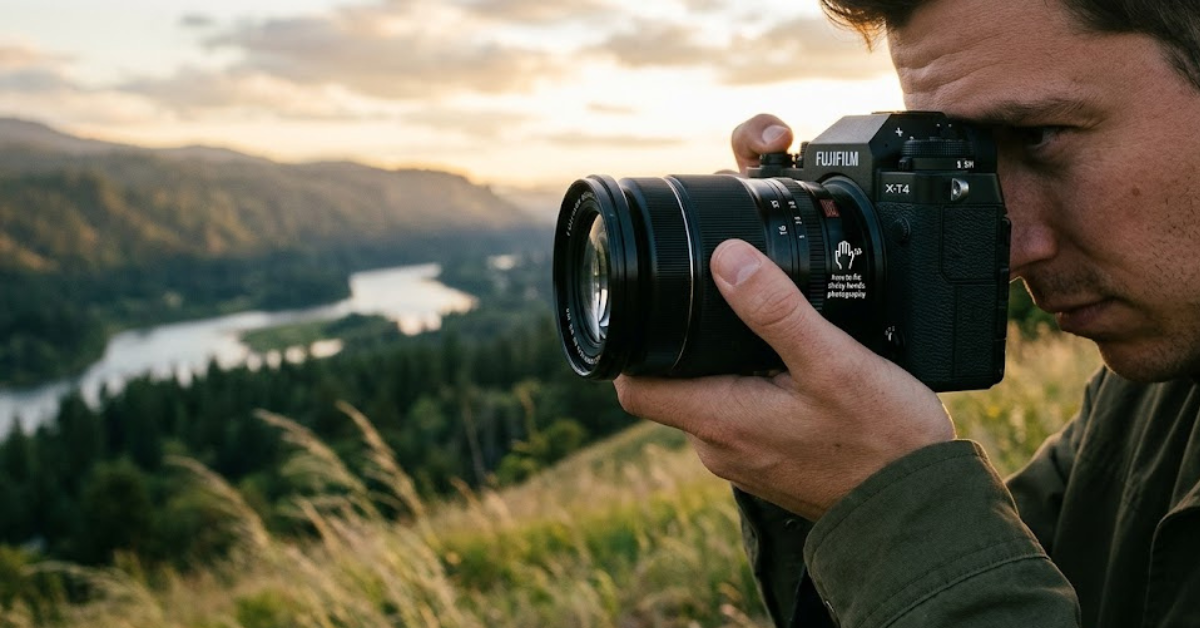
You line up the perfect shot, press the shutter button, and then disappointment strikes—the image comes out blurry. If this sounds familiar, you’re not alone. One of the most common challenges photographers face is camera shake caused by unsteady hands.
Understanding how to fix shaky hands photography can dramatically improve your images, whether you’re shooting with a smartphone, mirrorless camera, or DSLR. The good news is that shaky hands don’t have to ruin your photography. With the right techniques, settings, and equipment, you can capture crisp, professional-looking photos even if your hands aren’t perfectly steady.
In this guide, we’ll explore practical solutions to reduce camera shake and improve image sharpness in real-world shooting situations.
What Causes Shaky Hands in Photography?
Before learning how to solve the problem, it helps to understand what’s causing it.
Camera shake occurs when the camera moves during exposure. Even slight movement can blur details, especially in low-light conditions or when using zoom lenses.
Common causes include:
- Natural hand tremors
- Fatigue
- Drinking too much caffeine
- Slow shutter speeds
- Poor shooting posture
- Heavy camera equipment
- Low-light environments
Recognizing these factors is the first step toward sharper photography.
Why Camera Shake Creates Blurry Photos
Many photographers confuse motion blur with focus issues.
Camera Shake vs. Focus Problems
Camera shake affects the entire image.
Signs include:
- Overall softness
- Blurred edges
- Smearing of details
- Lack of sharpness throughout the frame
Focus errors, on the other hand, usually affect specific areas while other parts remain sharp.
How to Fix Shaky Hands Photography with Better Technique
The easiest solution often costs nothing.
Improve Your Camera Grip
Many beginners hold their cameras incorrectly.
For better stability:
- Use both hands
- Keep elbows close to your body
- Support the lens underneath
- Hold the camera firmly without squeezing too hard
A stable grip significantly reduces unwanted movement.
Use Proper Body Positioning
Your body acts as a natural stabilizer.
Try these techniques:
- Stand with feet shoulder-width apart
- Lean against a wall when possible
- Brace your elbows against your torso
- Avoid stretching your arms outward
Small adjustments can make a big difference.
Increase Your Shutter Speed
One of the most effective ways to fix shaky hands photography is by using a faster shutter speed.
Why Shutter Speed Matters
The longer the shutter remains open, the more opportunity there is for movement.
As a general guideline:
- 1/250 second or faster works well for handheld photography
- Longer lenses often require even faster speeds
Use the Reciprocal Rule
A classic photography rule suggests using a shutter speed at least equal to the focal length.
Examples:
- 50mm lens → minimum 1/50 second
- 200mm lens → minimum 1/200 second
Many photographers choose even faster settings for extra sharpness.
Enable Image Stabilization
Modern cameras often include stabilization technology.
Types of Stabilization
You may encounter:
- Optical Image Stabilization (OIS)
- In-Body Image Stabilization (IBIS)
- Lens-based stabilization
- Smartphone stabilization systems
These features help compensate for minor hand movements during shooting.
When Stabilization Helps Most
Image stabilization is especially useful for:
- Low-light photography
- Travel photography
- Street photography
- Wildlife photography
However, it cannot completely eliminate severe camera shake.
Use a Tripod for Maximum Stability
When absolute sharpness matters, a tripod remains one of the best solutions.
Benefits of Using a Tripod
A tripod:
- Eliminates hand movement
- Allows slower shutter speeds
- Improves composition accuracy
- Works well in low-light situations
Landscape and night photographers rely heavily on tripods for this reason.
Try a Monopod or Camera Support
Not every situation allows tripod use.
Alternatives to Tripods
Useful stabilization tools include:
- Monopods
- Camera straps under tension
- Bean bags
- Portable supports
These options improve stability while remaining mobile.
Adjust Camera Settings for Sharper Images
Proper settings can reduce the impact of shaky hands.
Increase ISO
Raising ISO allows faster shutter speeds.
Benefits include:
- Reduced blur
- Better low-light performance
- More flexibility when shooting handheld
Be aware that very high ISO values may introduce image noise.
Use Burst Mode
Burst shooting captures multiple frames rapidly.
This increases the likelihood that one image will be perfectly sharp.
Many professionals use this technique when handholding longer lenses.
How Smartphone Photographers Can Reduce Camera Shake
Smartphone cameras have improved dramatically, but shaky hands can still cause blur.
Hold Your Phone Properly
For better results:
- Use both hands
- Tuck elbows inward
- Avoid shooting one-handed
Use Night Mode Carefully
Night Mode often combines multiple exposures.
Remain as still as possible while the image is being captured.
Consider a Smartphone Tripod
Affordable smartphone mounts can dramatically improve image quality.
Strengthen Stability Through Practice
Photography is partly a physical skill.
Breathing Techniques
Professional photographers often:
- Take a breath.
- Exhale slowly.
- Gently press the shutter.
This minimizes body movement during exposure.
Build Shooting Habits
Consistent practice helps develop steadier hand movements over time.
The more you shoot, the more stable your technique becomes.
Best Camera Accessories for Shaky Hands
Certain accessories can help reduce camera shake.
Recommended Tools
- Tripods
- Monopods
- Stabilized lenses
- Camera cages
- Hand grips
- Remote shutter releases
These tools are especially valuable for long exposures and telephoto photography.
Common Mistakes That Cause Blurry Photos
Avoiding mistakes can be just as important as applying solutions.
Frequent Errors
- Using slow shutter speeds
- Ignoring image stabilization
- Holding the camera with one hand
- Zooming excessively
- Pressing the shutter too aggressively
- Shooting while walking
Correcting these habits often leads to immediate improvements.
Frequently Asked Questions
What is the best way to fix shaky hands photography?
The most effective solution is combining proper camera-holding technique with faster shutter speeds and image stabilization.
Can image stabilization completely eliminate camera shake?
No. Stabilization helps reduce minor movement but cannot fully compensate for significant shaking.
What shutter speed should I use for handheld photography?
A common guideline is to use a shutter speed equal to or faster than the focal length of your lens.
Are tripods necessary for sharp photos?
Not always, but tripods provide the highest level of stability, especially in low-light situations.
Can caffeine affect photography stability?
Yes. Excessive caffeine can increase hand tremors in some individuals, making camera shake more noticeable.
How do smartphone photographers reduce camera shake?
Using both hands, enabling stabilization features, and utilizing small tripods can significantly improve image sharpness.
Conclusion
Learning how to fix shaky hands photography is one of the fastest ways to improve your images. While camera shake is a common challenge, it doesn’t have to limit your creativity or image quality. By improving your shooting posture, increasing shutter speed, using stabilization features, and incorporating support tools like tripods or monopods, you can consistently capture sharper photos.
The key is to combine good technique with the right equipment and camera settings. Start implementing these strategies today, and you’ll notice a significant improvement in your photography, regardless of whether you’re shooting with a smartphone, mirrorless camera, or professional DSLR.