Have you ever spent hours making a cool 3D model, only for it to break in Source Filmmaker? It happens to almost everyone at the start. That is where SFM Comp comes in to save the day. Think of it as a translator. It takes your complex 3D files and turns them into a language the Source engine can finally understand. Without a proper sfm comp process, your models just won’t show up, or you will see those annoying purple-and-black checkerboards. This guide will make the technical stuff feel simple and fun.
What Exactly is SFM Comp?
At its heart, sfm comp is the conversion process. It turns your custom 3D art from programs like Blender or Maya into game-ready files. The Source engine, which runs Source Filmmaker, only likes specific file types like MDL, VVD, and PHY. If your file is just an FBX or OBJ, the engine gets confused. By performing an sfm comp, you are bundling your mesh, textures, and bones into one tidy package. It is the bridge between your imagination and the virtual movie set.
Why You Need a Good SFM Comp Workflow
Having a solid sfm comp workflow saves you from massive headaches later. When you compile your models correctly, they load faster and look much better in your scenes. A messy sfm comp process often leads to broken textures or missing animations. If you learn to organize your folders and scripts early, you won’t have to fix the same errors over and over. It is all about working smart, not just working hard. Plus, a clean sfm comp setup makes your future projects go much smoother.
The Essential Tools for Your SFM Comp
You don’t need a giant toolbox to get started with sfm comp. First, you will need the main compiler, which is usually studiomdl.exe from Valve. Many people also love using Crowbar, which is a friendly program that makes sfm comp much easier to manage. You will also need a simple text editor, like Notepad++, to write your QC files. These files act as an instruction manual for your model. Keeping your sfm comp tools updated is a great habit for any 3D artist.
Understanding the QC File in SFM Comp
The QC file is the most important part of any sfm comp job. You can think of it as a recipe for your model. It tells the compiler where to find your mesh, which textures to use, and how the model should move. If you mess up a line in your QC file, your sfm comp will likely fail. Always double-check your paths and file names. If the QC script is correct, your sfm comp process will be quick and easy.
Preparing Your Assets for SFM Comp
Before you run your sfm comp, you must get your 3D assets ready. Try to keep your polygon count nice and low for better performance. If your models have too many triangles, the sfm comp can take a long time or even crash. Also, make sure your textures are in the right folder. If the engine can’t find your textures, your model will look broken. Proper preparation makes every sfm comp feel like a breeze.
Step-by-Step: Running Your First SFM Comp
- Export your model as an SMD file from your 3D software.
- Open your text editor and create a new QC script.
- Fill in the required info like model name and material paths.
- Open your sfm comp tool, like Crowbar.
- Select your QC file and hit the compile button.
- Check the log for any errors.
- Test your new model inside Source Filmmaker!
Troubleshooting Common SFM Comp Errors
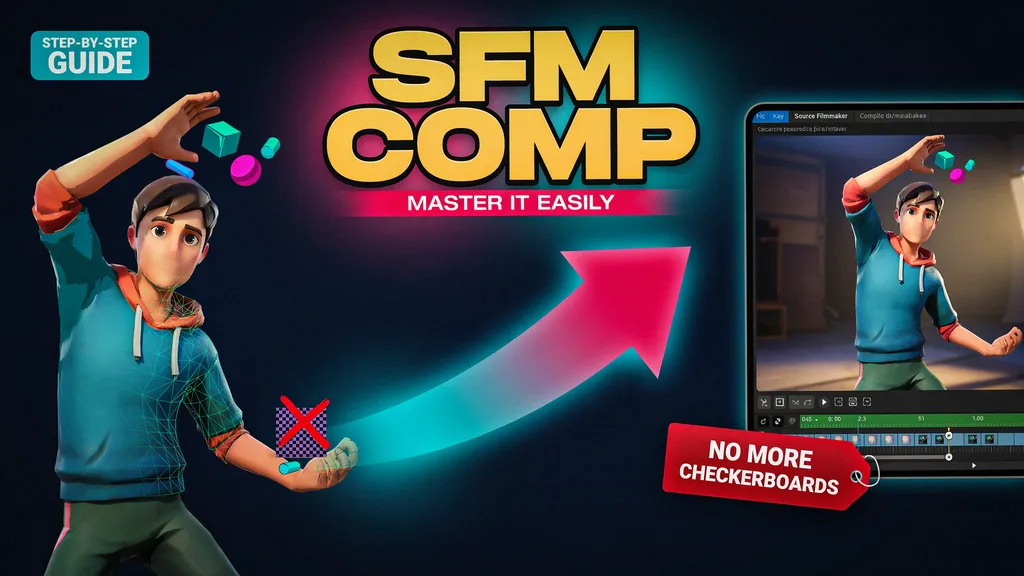
Even pros run into issues during sfm comp sometimes. If you see the purple checkerboard, it usually means a texture path is wrong. If the model is invisible, check your QC file to ensure the mesh file is linked correctly. Most sfm comp errors are just small typos in your script. Don’t feel discouraged if it doesn’t work the first time! Fixing these little bugs is how you truly learn the sfm comp system.
Best Practices for a Clean SFM Comp
Consistency is the secret to a great sfm comp. Always keep your project files in organized folders. Give your files simple names without weird symbols. When you finish a successful sfm comp, save a backup of that working QC file. This will save you a lot of time in the future. Remember, every time you do an sfm comp, you are getting better at 3D art!
Optimizing Models for Faster SFM Comp
If you want your sfm comp to be super fast, focus on optimization. Remove any extra vertices that aren’t needed. Use smart texture mapping to keep file sizes small. An optimized model doesn’t just compile faster; it also runs much smoother when you are animating. You want your scenes to play back at a good frame rate, and a good sfm comp is the first step toward that goal.
The Future of SFM Comp and Source 2
Many people ask if sfm comp works the same for the Source 2 engine. The answer is no, because Source 2 uses a totally different system for assets. While sfm comp is for the classic Source engine, learning it still teaches you a lot about how game engines think. Understanding these fundamentals makes moving to newer tools much easier. Keep practicing your sfm comp skills, and you will be ready for any engine!
Comparison Table: SFM Comp vs. Traditional 3D Workflows
| Feature | SFM Comp Process | Standard 3D Rendering |
| Output Format | MDL, VVD, VTX, PHY | FBX, OBJ, Alembic |
| Engine Focus | Source Engine | General Purpose (Unity/UE5) |
| QC Requirement | Required (Scripted) | Not Required |
| Animation Style | Keyframe-based (Graph Editor) | Timeline/Node-based |
| Performance | High (Real-time in engine) | Variable (Depends on settings) |
Frequently Asked Questions
1. Is SFM comp hard to learn for beginners?
Not at all! Once you understand the basic QC script, the sfm comp process becomes a routine part of your workflow.
2. Can I use Blender for my SFM comp projects?
Yes, Blender is one of the best tools for creating models that you can later use for an sfm comp.
3. What does it mean if my model is missing textures?
This usually means the material paths in your QC file are incorrect, which is a common sfm comp mistake.
4. Do I need to be a programmer to handle sfm comp?
No, you only need to understand basic text editing to write your QC scripts for an sfm comp.
5. How long does a typical sfm comp take?
For simple models, the sfm comp takes only a few seconds. Complex characters take a bit longer.
6. Where can I find more help with sfm comp?
The Valve Developer Community and various SFM forums are great places to learn more about advanced sfm comp techniques.
Conclusion
Mastering the sfm comp process is a huge milestone for any aspiring animator. It might seem technical at first, but with a bit of practice, it becomes second nature. Start with a simple prop, follow the steps, and don’t be afraid to experiment. Once you get that first custom model working, you’ll be unstoppable! Why not try compiling your first model today and see your vision come to life in Source Filmmaker? Your next great project is waiting to be built.