
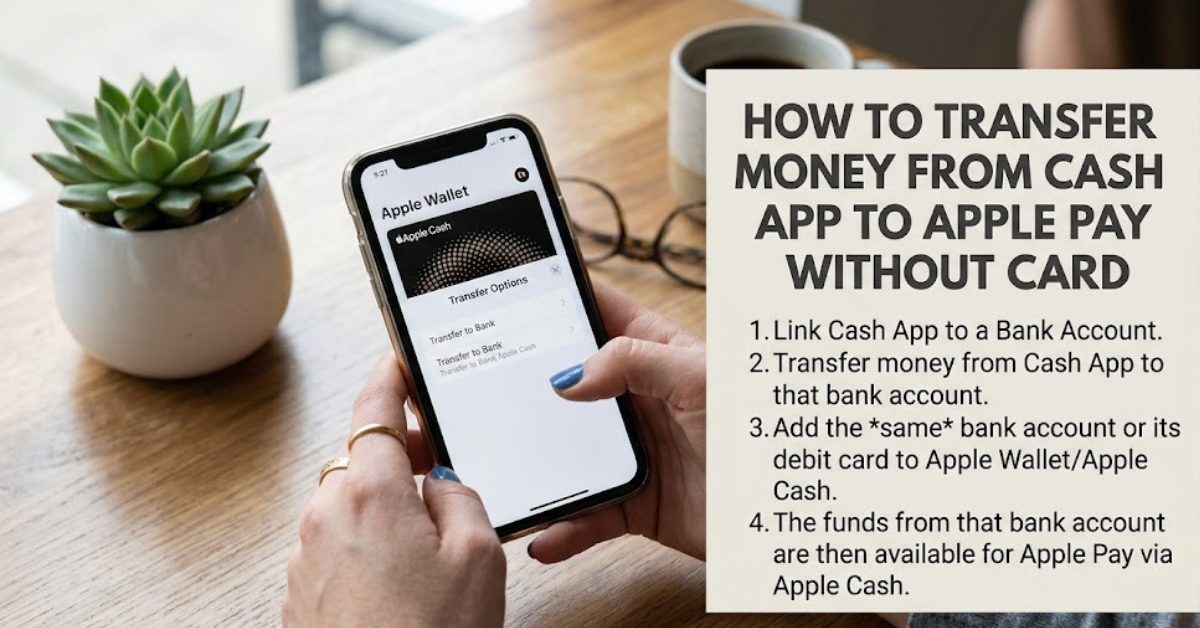
Digital wallets have made sending and receiving money easier than ever. But if you’ve ever tried moving funds between different payment platforms, you’ve probably discovered that it’s not always straightforward. One of the most common questions users ask is how to transfer money from Cash App to Apple Pay without card.
The challenge is that Cash App and Apple Pay aren’t directly integrated. Unlike transferring money between linked bank accounts, there isn’t a built-in button that lets you move funds instantly from one service to the other. However, there are legitimate workarounds that can help you access your Cash App balance through Apple Pay, even if you don’t have a physical Cash App card.
In this guide, we’ll explain how the process works, what limitations exist, and the safest methods available.
Can You Transfer Money From Cash App to Apple Pay Without a Card?
The short answer is: not directly.
Cash App does not currently offer a direct feature that allows users to send funds from their Cash App balance straight into Apple Pay Cash without using a linked bank account or Cash Card.
However, you can still move money indirectly by using:
- A linked bank account
- Apple Cash
- Instant transfers
- Debit card connections
- Alternative payment methods
Understanding these options can save time and help you avoid unnecessary fees.
Understanding Cash App and Apple Pay
Before discussing the transfer process, it’s important to understand the difference between these services.
Cash App
Cash App allows users to:
- Send and receive money
- Store funds in a Cash App balance
- Invest in stocks and Bitcoin
- Use a Cash Card for purchases
Apple Pay
Apple Pay is primarily a digital wallet that allows users to:
- Make contactless payments
- Store debit and credit cards
- Send money through Apple Cash
- Pay online and in apps
Because they serve different purposes, direct balance transfers aren’t currently supported.
How to Transfer Money From Cash App to Apple Pay Without Card
The most common workaround involves a linked bank account.
Step 1: Transfer Funds From Cash App to Your Bank
- Open Cash App.
- Tap the Balance tab.
- Select Cash Out.
- Enter the amount you want to transfer.
- Choose:
- Standard Transfer (usually 1–3 business days)
- Instant Transfer (fee may apply)
- Confirm the transaction.
The money will move from your Cash App balance to your linked bank account.
Step 2: Add the Same Bank Account to Apple Wallet
If your bank account is already connected to Apple Cash, you can use those funds more easily.
To check:
- Open Settings on your iPhone.
- Navigate to Wallet & Apple Pay.
- Verify your bank account or debit card information.
Step 3: Add Funds to Apple Cash
Once the money arrives in your bank account:
- Open the Wallet app.
- Select Apple Cash.
- Tap Add Money.
- Choose the amount.
- Confirm using Face ID, Touch ID, or your passcode.
The funds are now available through Apple Cash and Apple Pay.
Alternative Method: Using a Linked Debit Card
If your Cash App account has a linked debit card connected to the same bank account used by Apple Pay, the process can be even smoother.
Steps include:
- Cash out from Cash App.
- Transfer to your bank-linked debit card.
- Use the debit card already stored in Apple Pay.
- Access funds through your bank balance.
While this method isn’t technically a direct Cash App-to-Apple Pay transfer, it achieves the same result.
Can You Add Cash App Directly to Apple Pay?
Yes, but only under certain conditions.
If you have a Cash App Cash Card, you can add it to Apple Wallet and use it with Apple Pay for purchases.
However, this doesn’t directly move your Cash App balance into Apple Cash.
Instead, Apple Pay acts as a payment method using the Cash Card.
Common Reasons Transfers Fail
Users attempting to learn how to transfer money from Cash App to Apple Pay without card sometimes encounter issues.
Common causes include:
Unverified Accounts
Cash App may limit transfers if identity verification is incomplete.
Incorrect Bank Information
Mismatched account details can delay or reject transfers.
Insufficient Funds
Ensure your Cash App balance covers both the transfer amount and any applicable fees.
Apple Cash Restrictions
Apple Cash may have eligibility requirements depending on your region and account setup.
Transfer Fees and Processing Times
Cash App Standard Transfer
- Usually free
- Typically takes 1–3 business days
Cash App Instant Transfer
- Arrives within minutes
- Service fee may apply
Apple Cash Add Money
- Generally free when using supported payment methods
- Subject to Apple’s terms and limits
Always review current fees before initiating transfers.
Security Tips When Moving Money
Whenever transferring funds between financial apps, follow these best practices:
Use Official Apps Only
Download Cash App and Apple Wallet from official sources.
Enable Two-Factor Authentication
Additional security helps protect your account.
Verify Account Information
Double-check bank account and card details before transferring funds.
Monitor Transaction History
Review recent transactions regularly to detect unauthorized activity.
Pros and Cons of Transferring Through a Bank Account
Advantages
- Safe and official method
- No third-party services required
- Widely supported
- Easy to manage
Disadvantages
- Not instant in all cases
- May involve transfer fees
- Requires linked banking information
Is There a Direct Cash App to Apple Pay Transfer Feature?
At the time of writing, no direct feature exists that allows users to move funds from Cash App balance to Apple Cash without involving a bank account, debit card, or Cash Card.
Both platforms continue updating their services, so future integrations may become available.
Frequently Asked Questions
Can I transfer money from Cash App to Apple Pay instantly?
Not directly. The fastest option is usually an instant transfer from Cash App to a linked bank account, followed by adding funds to Apple Cash.
Do I need a Cash Card to use Cash App with Apple Pay?
No. A Cash Card is not required for transferring funds through a linked bank account. However, it can be added directly to Apple Wallet for purchases.
Can I add my Cash App balance directly to Apple Cash?
Currently, Cash App balances cannot be added directly to Apple Cash without first moving funds through a linked bank account.
Is there a fee for transferring money?
Standard Cash App transfers are generally free. Instant transfers may include fees.
Why can’t I add money to Apple Cash?
Possible reasons include verification issues, unsupported payment methods, account restrictions, or insufficient funds.
Is it safe to transfer money between Cash App and Apple Pay?
Yes, provided you use official apps, secure passwords, and verified bank accounts.
Conclusion
Understanding how to transfer money from Cash App to Apple Pay without card can save you frustration and help you move money efficiently. While there is currently no direct transfer feature between the two platforms, using a linked bank account remains the safest and most reliable workaround.
For most users, the process involves cashing out from Cash App, transferring funds to a connected bank account, and then adding money to Apple Cash. Although it requires an extra step, it allows you to access your funds securely while taking advantage of Apple Pay’s convenience.
As payment apps continue to evolve, it’s worth checking for new features and integrations that could make transfers even easier in the future.